ChatGPT for YouTube Script: YouTube Script बनाने के लिए ChatGPT
YouTube video बनाने में केवल camera और editing ही महत्वपूर्ण नहीं हैं।
एक अच्छी video के पीछे clear idea, strong hook, logical structure, useful information और natural script की जरूरत होती है।
कई creators के पास अच्छे video ideas होते हैं, लेकिन उन्हें script में बदलना मुश्किल लगता है।
यहीं ChatGPT useful assistant बन सकता है।
ChatGPT for YouTube Script का उपयोग video ideas brainstorm करने, audience questions समझने, hooks बनाने, outlines तैयार करने, full scripts draft करने, storytelling improve करने, Shorts scripts बनाने और existing scripts edit करने में किया जा सकता है।
लेकिन AI-generated script को बिना review किए record करना सही तरीका नहीं है।
ChatGPT inaccurate facts, outdated information या generic examples generate कर सकता है। इसलिए factual videos में important information verify करना जरूरी है।
इस guide में हम YouTube Script बनाने के लिए ChatGPT के 15 practical uses और ready-to-use prompts समझेंगे।
ChatGPT for YouTube Script क्या है?
ChatGPT for YouTube Script का मतलब YouTube script-writing workflow में ChatGPT को brainstorming, planning, drafting और editing assistant के रूप में use करना है।
ChatGPT आपकी मदद कर सकता है:
Video ideas खोजने में
Target audience define करने में
Video hook लिखने में
Outline बनाने में
Full script draft करने में
Storytelling improve करने में
Examples simplify करने में
CTA लिखने में
YouTube Shorts scripts बनाने में
Existing scripts edit करने में
एक practical workflow है:
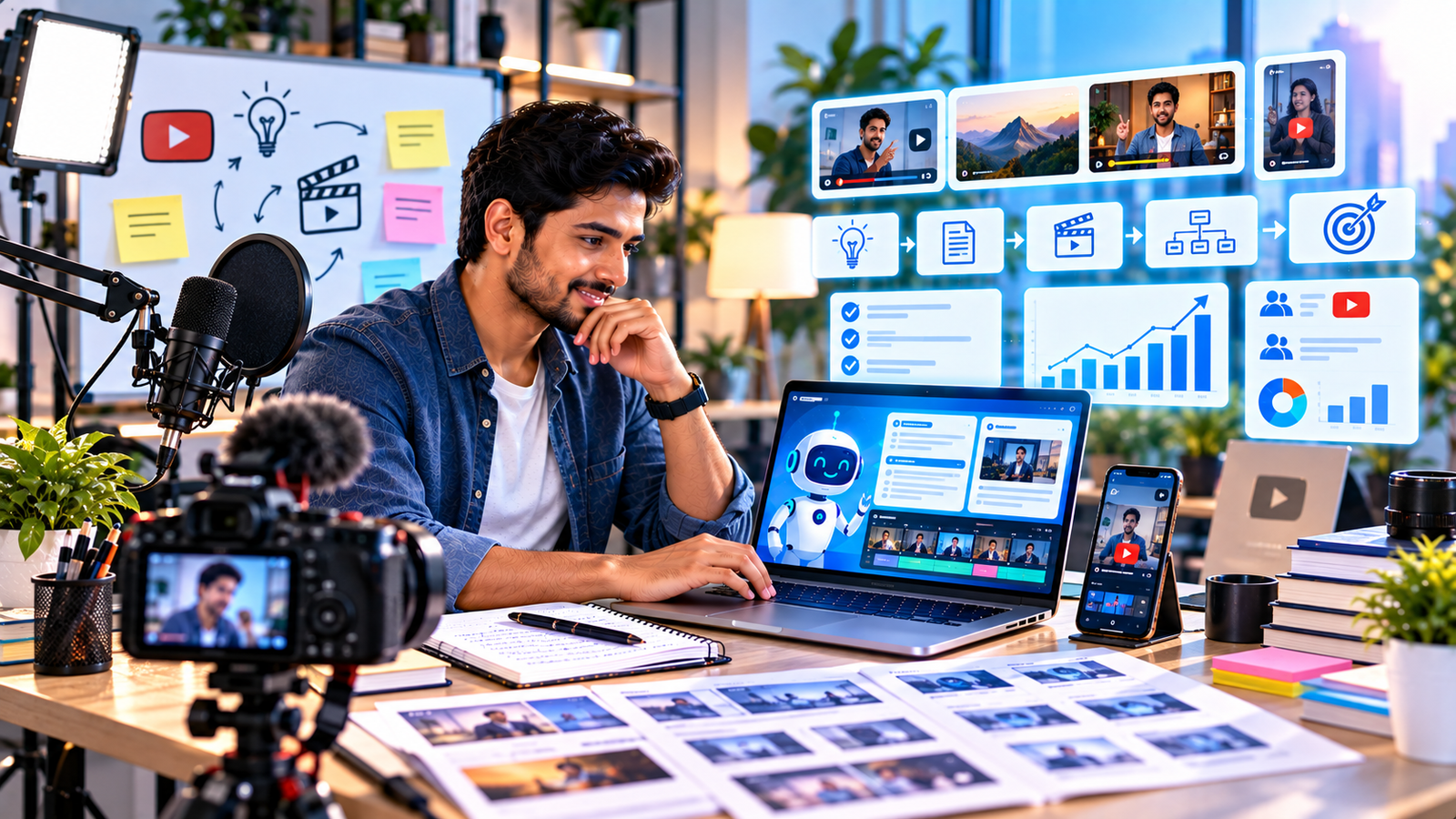
Topic → Audience → Research → Hook → Outline → Script → Fact Check → Edit → Record → Publish
1. YouTube Video Ideas खोजें
पहला सवाल अक्सर होता है:
“अगला video किस topic पर बनाऊं?”
ChatGPT niche के आधार पर ideas brainstorm कर सकता है।
Prompt
“मेरा YouTube channel niche [Niche] है और target audience [Audience] है। 30 useful video ideas दें। Ideas को Beginner, How-To, Problem-Solving, Comparison और Advanced categories में divide करें। Current views, search volume या trend numbers invent न करें।”
इसके बाद actual audience interest और current platform data से topics validate करें।
2. Target Audience समझें
Script लिखने से पहले यह clear होना चाहिए कि video किसके लिए है।
एक ही topic beginners और experts के लिए अलग तरीके से explain किया जाएगा।
Prompt
“मेरा YouTube video topic [Topic] है और target audience [Audience] है। Audience के possible questions, knowledge gaps और expectations brainstorm करें। Unsupported demographic facts invent न करें।”
इससे script ज्यादा focused बन सकती है।
3. Video Research Plan बनाएं
Informational videos में research बहुत महत्वपूर्ण है।
ChatGPT research questions तैयार कर सकता है।
Prompt
“मैं [Topic] पर YouTube video बना रहा हूं। Script लिखने से पहले किन factual questions को reliable sources से verify करना चाहिए? Current facts, statistics, product information और disputed claims को अलग mark करें।”
फिर authoritative sources से information verify करें।
ChatGPT को अकेला factual source न मानें।
4. Strong YouTube Hook लिखें
Video के शुरुआती seconds महत्वपूर्ण होते हैं।
लेकिन hook के लिए misleading promise नहीं करना चाहिए।
Hook Prompt
“मेरे YouTube video का topic [Topic] है। Audience [Audience] और video का actual value [Value] है। 10 short hook variations बनाएं। Hooks curiosity create करें लेकिन clickbait, fake urgency या impossible promise avoid करें।”
Hook video के actual content से match होना चाहिए।
5. YouTube Video Outline बनाएं
Full script से पहले outline बनाना useful है।
Simple structure:
Hook
Introduction
Problem
Main Point 1
Main Point 2
Main Point 3
Examples
Summary
CTA
Outline Prompt
“Topic [Topic], audience [Audience], video goal [Goal] और verified research notes [Notes] हैं। 10-minute YouTube video के लिए logical outline बनाएं। Hook, main sections, examples, transitions, recap और CTA शामिल करें।”
Outline में unnecessary repetition हटाएं।
ChatGPT को सही instructions देकर बेहतर scripts और outlines पाने के लिए हमारा ChatGPT Prompt Kaise Likhe guide पढ़े
6. Full YouTube Script तैयार करें
Outline final होने के बाद ChatGPT first draft बना सकता है।
Full Script Prompt
“नीचे approved YouTube video outline और verified research notes हैं:
Outline:
[Outline]
Research:
[Research]
Audience: [Audience]
Tone: [Tone]
Target Duration: [Duration]
Natural spoken Hindi/Hinglish में YouTube script draft करें। Short sentences रखें। Hook, smooth transitions, examples, recap और CTA शामिल करें। Supplied research से बाहर facts, statistics, quotes या personal experiences invent न करें। Verification-required information के सामने [VERIFY] लिखें।”
Script को पढ़कर देखें कि वह बोलने में natural लगती है या नहीं।
Written article और spoken script की language अलग हो सकती है।
7. Script को Conversational बनाएं
AI-generated script कई बार article जैसी लग सकती है।
YouTube पर spoken language ज्यादा natural होनी चाहिए।
Prompt
“नीचे मेरी YouTube script है:
[Script]
Facts और meaning बदले बिना इसे natural spoken language में rewrite करें। Sentences short रखें। Unnecessary formal language और repetition हटाएं। Script ऐसे लगे जैसे presenter viewer से directly बात कर रहा है।”
इससे recording आसान हो सकती है।
8. Storytelling Add करें
Storytelling complex information को engaging बना सकती है।
Simple structure:
Situation
Problem
Attempt
Learning
Solution
Prompt
“मेरे video topic [Topic] में storytelling structure suggest करें। केवल supplied real information [Information] use करें। Fake personal story, fake customer story या invented case study न बनाएं।”
अगर कहानी illustrative है, तो उसे example के रूप में clearly present करें।
9. Video में Transitions लिखें
Sections के बीच अचानक jump video को disconnected बना सकता है।
Transition Prompt
“मेरी script के sections नीचे हैं:
[Sections]
हर section के बीच short natural transition line लिखें। Repetition और unnecessary suspense avoid करें।”
Transitions simple हो सकती हैं।
उन्हें dramatic बनाने की जरूरत नहीं है।
10. Examples और Analogies बनाएं
Difficult topics समझाने में examples useful होते हैं।
Prompt
“Concept [Concept] को beginner audience के लिए 5 simple analogies से explain करें। Analogy और actual fact के बीच difference clear रखें।”
Technical या financial topic में analogy को fact की तरह present न करें।
11. YouTube CTA तैयार करें
हर video में “Like, Share, Subscribe” repeat करना जरूरी नहीं है।
CTA video goal से match होना चाहिए।
Possible CTA:
Subscribe
Comment
Watch Next Video
Visit Website
Download Resource
Join Newsletter
CTA Prompt
“मेरे video का topic [Topic] और next desired action [Action] है। 10 short natural CTA variations बनाएं। Pushy language avoid करें।”
एक clear CTA कई competing CTAs से बेहतर हो सकता है।
12. YouTube Shorts Script बनाएं
ChatGPT long video से short-form content भी बना सकता है।
Simple Shorts structure:
Hook
One Idea
Example
Quick Takeaway
CTA
Shorts Prompt
“Topic [Topic] पर लगभग 30–45 second की YouTube Shorts script बनाएं। शुरुआत में clear hook रखें, एक useful idea explain करें और short CTA दें। Fake urgency और misleading promise avoid करें।”
Shorts में एक video में एक main idea रखना useful हो सकता है।
13. Long Video को Shorts में Repurpose करें
एक long-form video से multiple short-video ideas निकाले जा सकते हैं।
Prompt
“नीचे मेरी original long-form YouTube script है:
[Script]
इसी information से 10 standalone Shorts ideas बनाएं। हर Short के लिए hook, key point और CTA दें। Original script से बाहर factual claims न जोड़ें।”
इससे एक research effort को multiple content assets में बदला जा सकता है।
14. YouTube Title और Description Ideas बनाएं
Script तैयार होने के बाद title और description brainstorm किए जा सकते हैं।
Prompt
“मेरे video का actual topic [Topic] और key value [Value] है। 15 clear YouTube title ideas और एक concise description draft करें। Misleading clickbait और video में मौजूद न होने वाले promises avoid करें।”
Title को video accurately represent करना चाहिए।
Headlines, hooks और persuasive messaging को बेहतर बनाने के लिए हमारा ChatGPT for Copywriting guide पढ़ें।
15. Existing YouTube Script Edit करें
अगर script पहले से लिखी है तो ChatGPT उसे polish कर सकता है।
Editing Prompt
“नीचे मेरी YouTube script है:
[Script]
Facts और message बदले बिना इसे edit करें। Weak opening, repetition, long sentences और unnatural transitions identify करें। Spoken language natural रखें और कोई नया factual claim add न करें।”
Final script को record करने से पहले जोर से पढ़ना useful है।
जिस sentence को बोलना मुश्किल है, उसे simplify करें।
YouTube Script कितनी लंबी होनी चाहिए?
Script की सही length fixed नहीं होती।
यह बोलने की speed, pauses, demonstrations और editing style पर depend करती है।
इसलिए केवल word count देखकर exact video duration assume न करें।
Better approach:
एक sample script record करें।
अपनी average speaking speed समझें।
फिर future scripts उसी actual data के आधार पर plan करें।
Prompt
“मेरी average speaking speed [Actual Tested Speed] words per minute है और target video duration [Minutes] है। Approximate script word range calculate करने में मदद करें। Pauses और demonstrations के लिए अलग allowance बताएं।”
Educational YouTube Script में ChatGPT
Educational videos में accuracy entertainment से भी ज्यादा important हो सकती है।
Verify करें:
Definitions
Dates
Statistics
Research Findings
Government Rules
Product Features
Prices
Current Policies
जहां information current हो सकती है, publication से पहले fresh source check करें।
Faceless YouTube Channel के लिए ChatGPT
ChatGPT faceless-channel workflow में भी script assistant बन सकता है।
Workflow:
Topic
Research
Outline
Script
Voiceover
Visual Plan
Editing
Publish
लेकिन mass-producing low-value repetitive videos long-term strategy नहीं होनी चाहिए।
हर video में genuine usefulness और appropriate originality रखें।
YouTube Script से Visual Plan बनाएं
Script के साथ visual directions भी बनाई जा सकती हैं।
Prompt
“नीचे मेरी approved YouTube script है:
[Script]
इसे scene-by-scene visual plan में convert करें। हर section के लिए presenter shot, B-roll idea, screen graphic या text-overlay suggestion दें। Copyrighted footage assume न करें।”
इससे editor को clear plan मिल सकता है।
YouTube Script से Blog Post बनाएं
एक researched video script को article में repurpose किया जा सकता है।
लेकिन spoken script को सीधे blog में paste करने की बजाय structure बदलें।
YouTube content को blog articles और long-form content में बदलने के लिए हमारा ChatGPT for Content Writers guide पढ़ें
YouTube Video को Promote कैसे करें?
Published video के लिए ChatGPT promotional content तैयार कर सकता है:
Facebook Post
LinkedIn Post
Email
Short Caption
Community Post
Shorts Ideas
YouTube content को broader online marketing strategy के साथ जोड़ने के लिए हमारा ChatGPT for Digital Marketing guide पढ़ें।
अपने published ChatGPT for Digital Marketing article
YouTube Script में Copyright का ध्यान रखें
किसी दूसरे creator की script लेकर केवल ChatGPT से rewrite करवाना original content बनाने का सही substitute नहीं है।
Research के लिए multiple sources use करें और अपनी structure, explanation और original value add करें।
दूसरे creators की distinctive wording को copy न करें।
Music, footage, images और दूसरे copyrighted assets के rights भी separately consider करें।
ChatGPT for YouTube Script की 10 Common Mistakes
1. बिना Research Script बनाना
Important facts verify करें।
2. Generic Hook
Viewer को जल्दी actual value बताएं।
3. Fake Clickbait
Title और hook content से match रखें।
4. Article जैसी Script
Spoken language use करें।
5. बहुत लंबा Introduction
Main topic पर जल्दी आएं।
6. Fake Statistics
Numbers verify करें।
7. Fake Personal Story
Experience invent न करें।
8. Repetition
Editing के दौरान repeated points हटाएं।
9. CTA Overload
एक primary next action रखें।
10. AI Script बिना Review Record करना
Human fact-check और editing करें।
30-Day ChatGPT for YouTube Script Plan
Week 1: Research
Channel audience define करें।
20 video ideas brainstorm करें।
5 topics select करें।
Research checklist बनाएं।
Week 2: Script System
Hook template बनाएं।
Outline framework बनाएं।
Full-script prompt तैयार करें।
CTA variations बनाएं।
Week 3: Production
Scripts draft करें।
Facts verify करें।
Scripts aloud read करें।
Visual plans तैयार करें।
Videos record और edit करें।
Week 4: Improve
Published video data review करें।
Viewer questions collect करें।
Weak hooks identify करें।
Successful topics से new ideas बनाएं।
अगले महीने का content calendar तैयार करें।
Goal ज्यादा AI scripts generate करना नहीं है।
Goal useful videos के लिए accurate और engaging scripts efficiently तैयार करना है।
ChatGPT for YouTube Script Ultimate Master Prompt
“Act as a professional YouTube script-writing assistant.
Channel Niche: [Niche]
Video Topic: [Topic]
Target Audience: [Audience]
Video Goal: [Goal]
Target Duration: [Duration]
Language: [Language]
Tone: [Tone]
Verified Research Notes: [Research]
Original Experience/Examples: [Examples]
Primary CTA: [CTA]
मेरे YouTube video के लिए इन sections में मदद करें:
- Viewer intent
- Research gaps
- 10 hook options
- Video outline
- Full spoken-language script
- Section transitions
- Examples/analogies
- CTA
- 5 title options
- Description draft
- 5 Shorts ideas
- Scene-by-scene visual suggestions
- Fact-check checklist
Unknown facts, statistics, quotes, studies, personal experiences या case studies invent न करें।
Current information के सामने VERIFY लिखें।
Fake clickbait, fake urgency और guaranteed results avoid करें।
Script को natural spoken language में रखें।
अगर supplied information insufficient है तो UNKNOWN लिखें।
Final recording से पहले human editing और fact-checking की reminder दें।”
Conclusion
ChatGPT for YouTube Script का सही उपयोग केवल एक click में पूरा script generate करना नहीं है।
यह video ideas, research planning, hooks, outlines, full scripts, storytelling, transitions, Shorts और editing जैसे कई stages में मदद कर सकता है।
लेकिन useful YouTube content के लिए accurate research और human creativity जरूरी हैं।
इस workflow को याद रखें:
Topic → Research → Hook → Outline → Script → Original Value → Fact Check → Edit → Record → Publish → Analyze
ChatGPT script-writing process को faster और organized बना सकता है।
लेकिन final video की accuracy, originality और usefulness creator की जिम्मेदारी रहती है।
Frequently Asked Questions
ChatGPT for YouTube Script क्या है?
ChatGPT for YouTube Script का अर्थ video ideas, hooks, outlines, full scripts, Shorts और editing जैसे YouTube script-writing tasks में ChatGPT का उपयोग करना है।
YouTube Script बनाने के लिए ChatGPT कैसे Use करें?
Topic, audience, video goal, verified research, desired tone और approximate duration देकर ChatGPT से outline और first script draft तैयार किया जा सकता है।
क्या ChatGPT पूरा YouTube Script लिख सकता है?
हाँ। ChatGPT full first draft तैयार कर सकता है। Final recording से पहले facts verify और script manually edit करें।
क्या ChatGPT YouTube Hook लिख सकता है?
हाँ। एक topic के लिए multiple hook variations बनाई जा सकती हैं। Misleading clickbait और fake promises avoid करें।
क्या ChatGPT YouTube Shorts Script बना सकता है?
हाँ। Short-form video के लिए hook, main point, takeaway और CTA वाली concise script तैयार की जा सकती है।
क्या ChatGPT YouTube Video Ideas दे सकता है?
हाँ। Niche और audience के आधार पर ideas brainstorm किए जा सकते हैं। Actual trends और demand को current data से separately verify करें।
क्या ChatGPT YouTube Titles लिख सकता है?
हाँ। Multiple title ideas generate किए जा सकते हैं। Title को video के actual content को accurately represent करना चाहिए।
क्या ChatGPT Faceless YouTube Channel के लिए Script लिख सकता है?
हाँ। Research-based faceless videos के लिए scripts तैयार करने में मदद मिल सकती है। Originality, accuracy, copyright और current YouTube requirements का ध्यान रखें।
क्या AI YouTube Script को Fact-Check करना चाहिए?
हाँ। Dates, statistics, studies, product information और current policies जैसे claims authoritative sources से verify करें।
क्या ChatGPT YouTube Views की Guarantee देता है?
नहीं। Views audience demand, topic, packaging, retention, competition और कई दूसरे factors पर depend करते हैं। ChatGPT views या channel growth guarantee नहीं करता।